1
Open Extensions
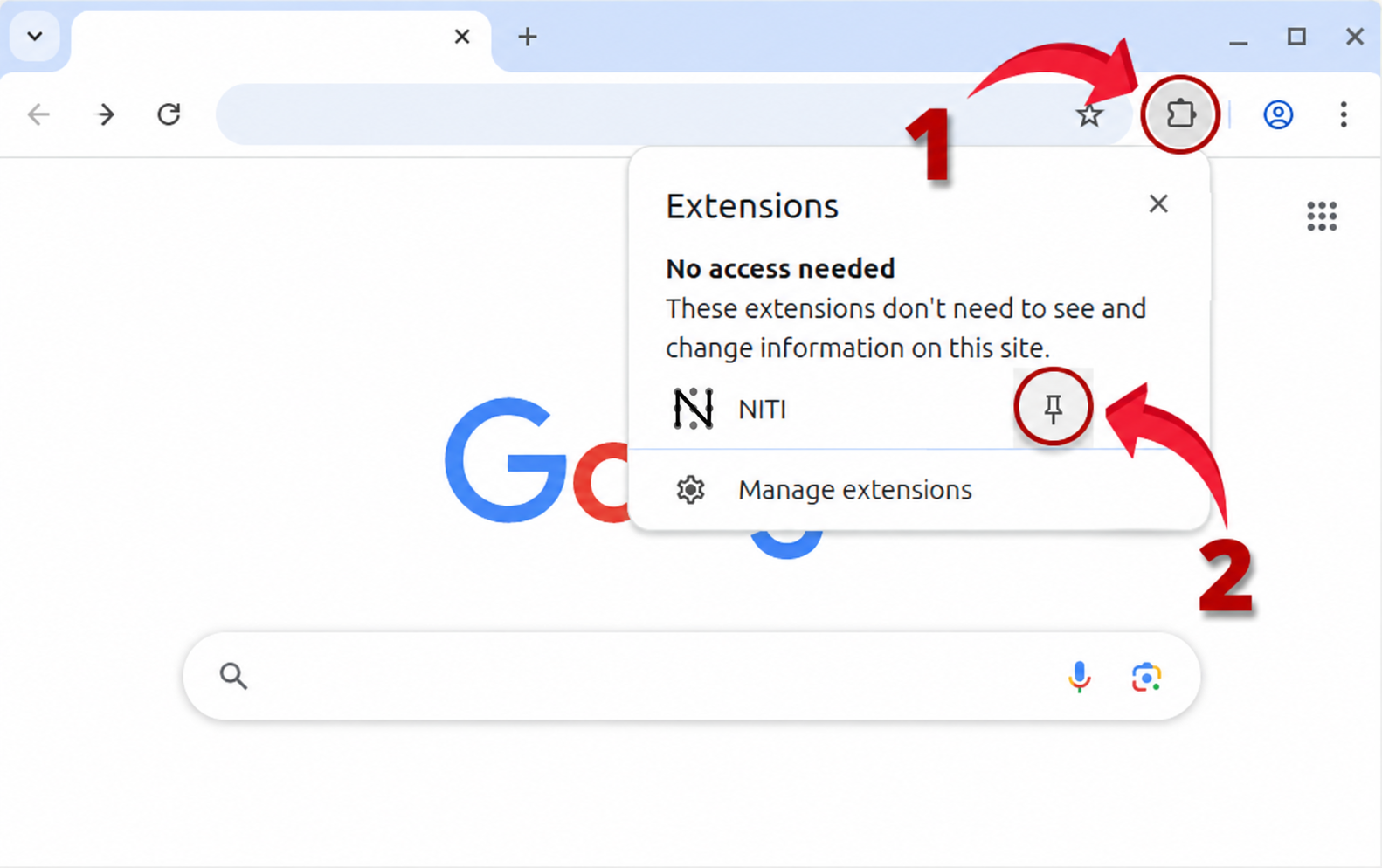
Select the puzzle-piece icon in the top-right corner of Chrome.
 niti
nitiPin NITI once and keep your daily tasks one click away.
Select the puzzle-piece icon in the top-right corner of Chrome.
Find NITI in the extension list, then select its pin icon.
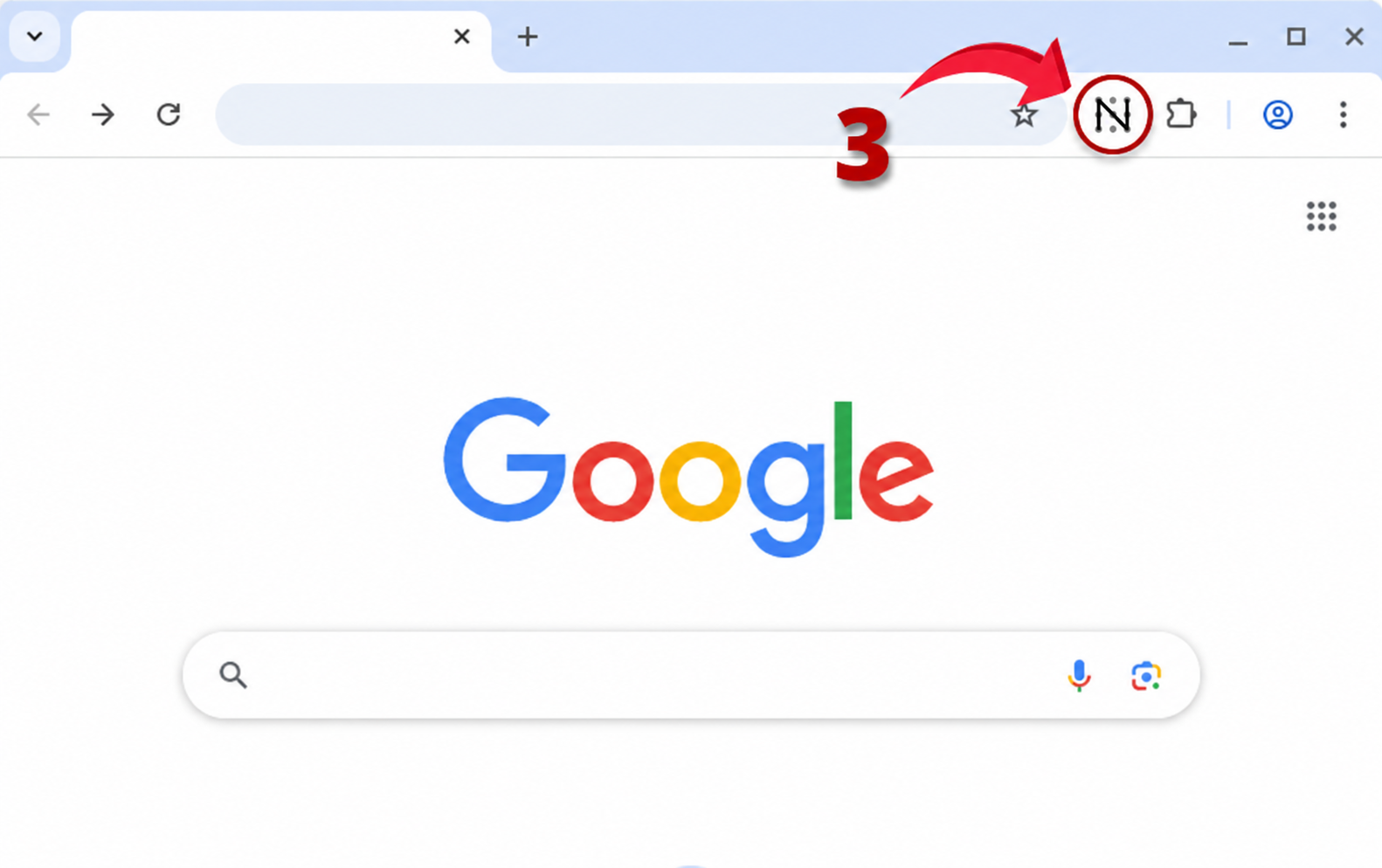
Use the NITI icon in your toolbar whenever you want to plan your day.